> ## Documentation Index
> Fetch the complete documentation index at: https://docs.mayar.id/llms.txt
> Use this file to discover all available pages before exploring further.
# Online Payment Method
> Try Mayar online payment methods now and experience fast, secure, and convenient transactions!
### Overview
Mayar offers a variety of flexible and easy-to-use online payment methods, including Virtual Accounts for automatic bank transfers, credit/debit cards (Visa & Mastercard), popular e-wallets such as GoPay, OVO, Dana, and ShopeePay, as well as QRIS, which can be scanned from multiple apps. In addition, Mayar also supports manual bank transfers depending on the merchant’s needs. With these options, Mayar makes it easier for customers to pay while helping merchants record payments quickly and securely.
### Setting Up Online Payment Methods
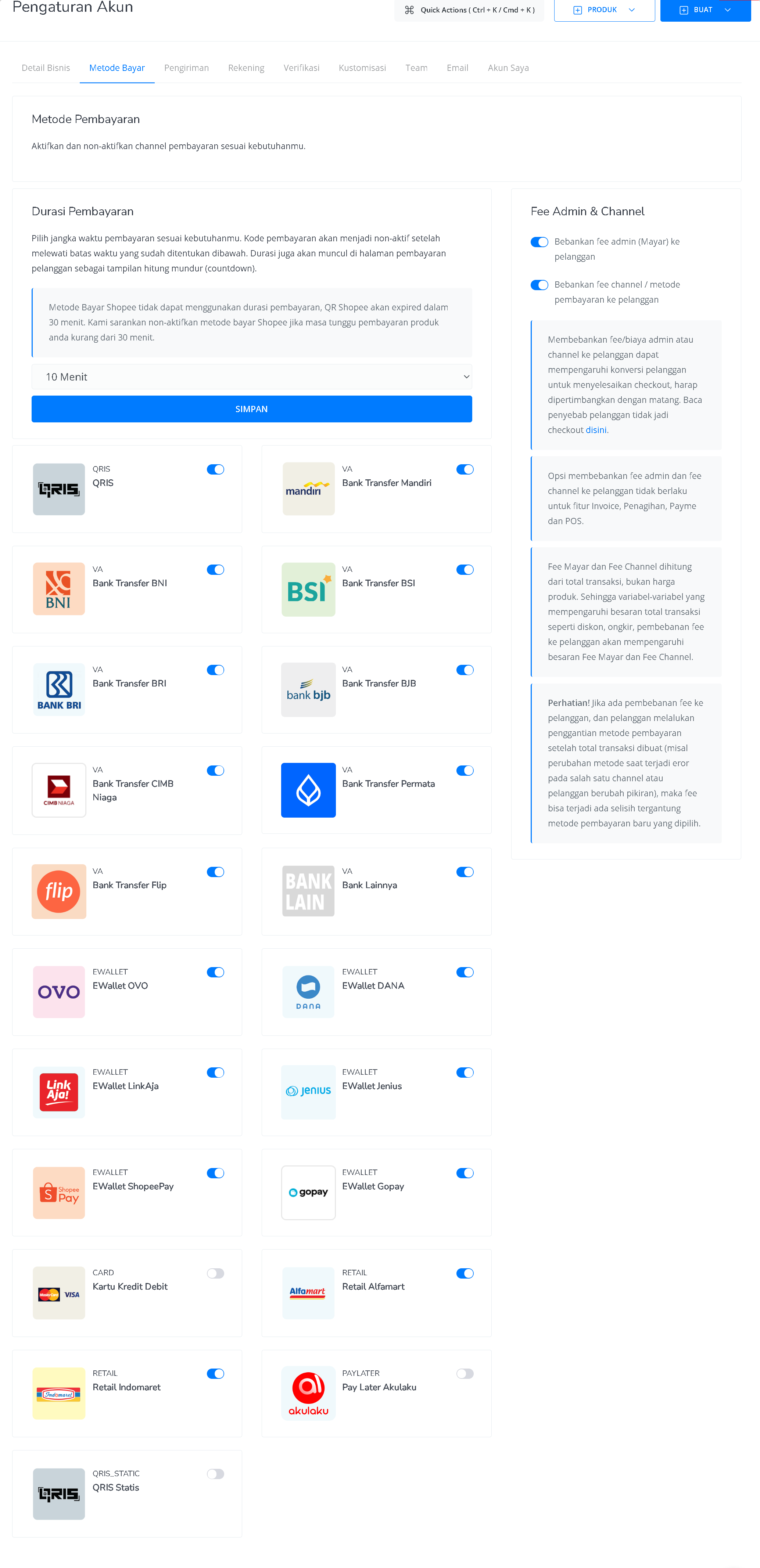 Mayar provides a variety of online payment options to make it easier for customers to complete their transactions. Users can choose which payment methods to enable or disable, including bank transfers, credit/debit cards, and popular e-wallets such as GoPay, OVO, Dana, ShopeePay, LinkAja, and QRIS. All of these options can be activated directly from the Mayar dashboard without the need for complex technical integration. With multiple payment methods supported, your business can reach more customers and increase sales conversions efficiently.
### Supported Payment Methods
MAYAR supports a wide range of payment methods, both local and card-based. This gives your customers more flexibility and improves the overall payment experience. The following payment methods are available and supported by MAYAR:
| **Payment Method** | **Settlement time** |
| ----------------------------------------------- | ------------------- |
| Virtual Account | Real-Time |
| QRIS | H+3 Business Days |
| Credit Cards | H+5 Business Days |
| Retail Outlets (Alfamart & Indomaret) | H+5 Business Days |
| eWallets (OVO, LinkAja, Dana, ShopeePay, GoPay) | H+3 Business Days |
### Payment Experience
Mayar provides a variety of online payment options to make it easier for customers to complete their transactions. Users can choose which payment methods to enable or disable, including bank transfers, credit/debit cards, and popular e-wallets such as GoPay, OVO, Dana, ShopeePay, LinkAja, and QRIS. All of these options can be activated directly from the Mayar dashboard without the need for complex technical integration. With multiple payment methods supported, your business can reach more customers and increase sales conversions efficiently.
### Supported Payment Methods
MAYAR supports a wide range of payment methods, both local and card-based. This gives your customers more flexibility and improves the overall payment experience. The following payment methods are available and supported by MAYAR:
| **Payment Method** | **Settlement time** |
| ----------------------------------------------- | ------------------- |
| Virtual Account | Real-Time |
| QRIS | H+3 Business Days |
| Credit Cards | H+5 Business Days |
| Retail Outlets (Alfamart & Indomaret) | H+5 Business Days |
| eWallets (OVO, LinkAja, Dana, ShopeePay, GoPay) | H+3 Business Days |
### Payment Experience
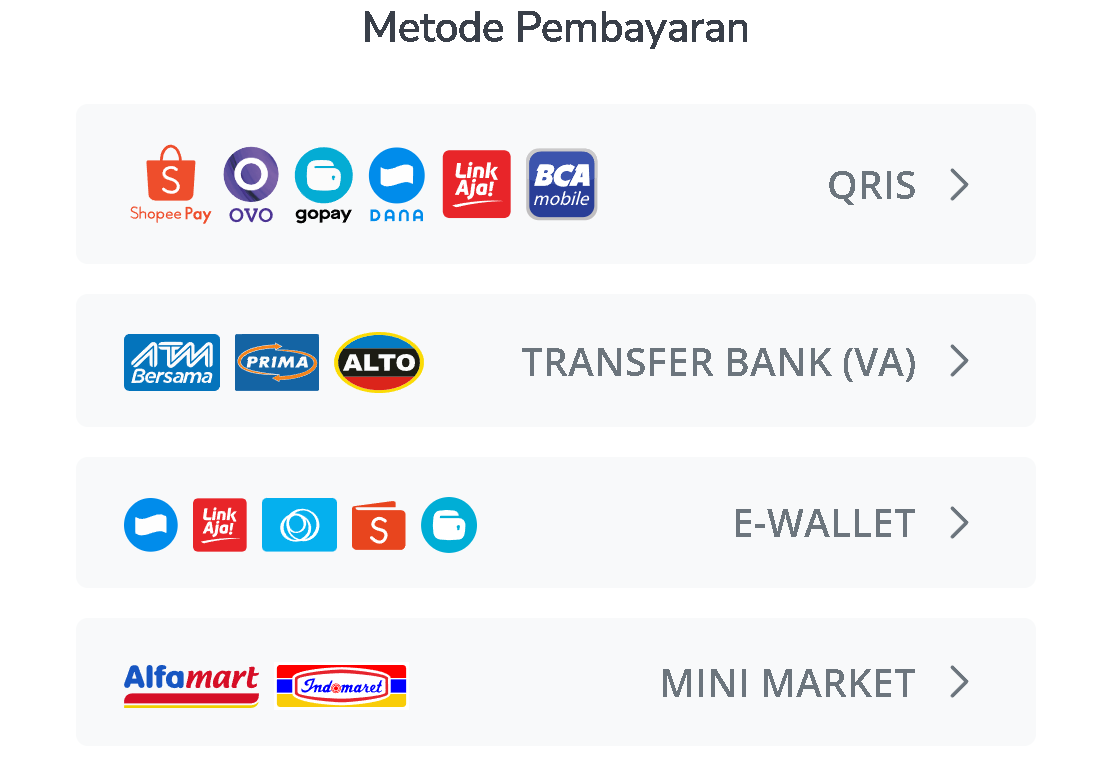 Once your payment methods are set up and activated, they will automatically appear on your payment page. MAYAR provides a managed payment experience where all active payment methods are added to a single checkout page without any additional setup. This creates a smooth and convenient payment process for your customers, allowing them to choose their preferred payment option from the available methods.