> ## Documentation Index
> Fetch the complete documentation index at: https://docs.mayar.id/llms.txt
> Use this file to discover all available pages before exploring further.
# Tracking (Pixel, Tag Manager, and UTM Param)
> Try the Tracking feature on Mayar to gain better business insights through Meta, Google Tag Manager and UTM Param Tracking!
### Overview
The Tracking feature on Mayar, powered by Meta and Google Tag Manager (GTM), helps users monitor and analyze visitor behavior on their websites effectively. With Meta integration, users can track interactions through social media and digital ads, allowing them to better understand how marketing campaigns influence traffic and conversions. Meanwhile, GTM offers an efficient tag management solution, enabling users to manage and update tracking tags without directly changing the website code. By using this feature, businesses can gain deeper insights into user behavior, optimize their marketing strategies, and improve the overall user experience.
### Global Tracking Code
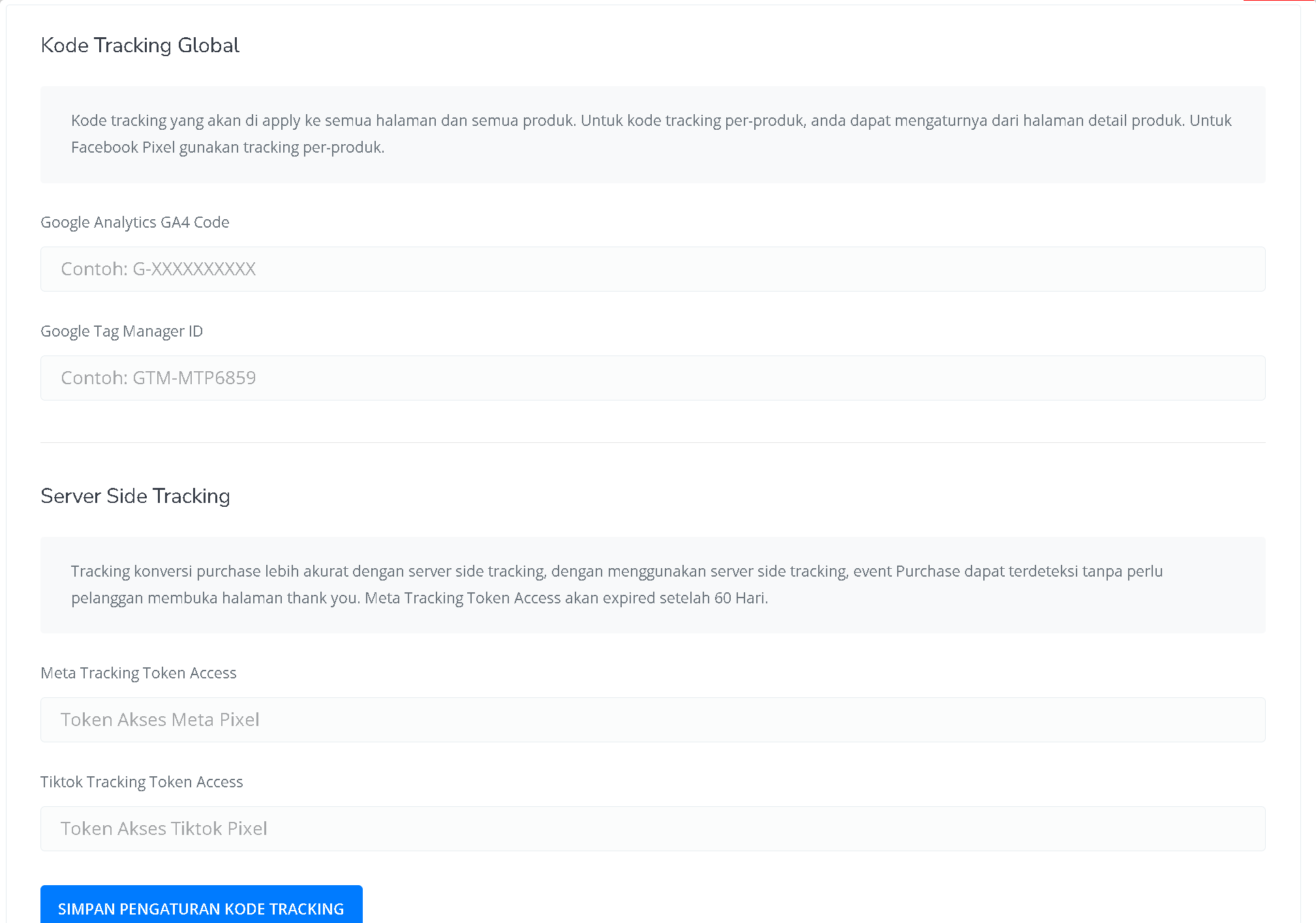 The Global Tracking Code on Mayar allows centralized tracking of user activity across all pages and products. By integrating Facebook Pixel, Google Analytics, and Google Tag Manager, you can monitor user interactions more effectively. This helps businesses understand customer behavior, optimize marketing strategies, and improve ad retargeting. The setup can be done without complicated technical steps, making it easier for businesses to manage tracking data and boost operational efficiency.
### Google Analytics GA4 Code
The Google Analytics GA4 Code on Mayar allows businesses to track and analyze website visitor data deeply. By integrating GA4, you can gain insights into user behavior, such as the most visited pages, session duration, and other specific interactions.
## Product Level Tracking
Track your product performance through pixel tracking and UTM Param tracking.
### Pixel & Tag Manager
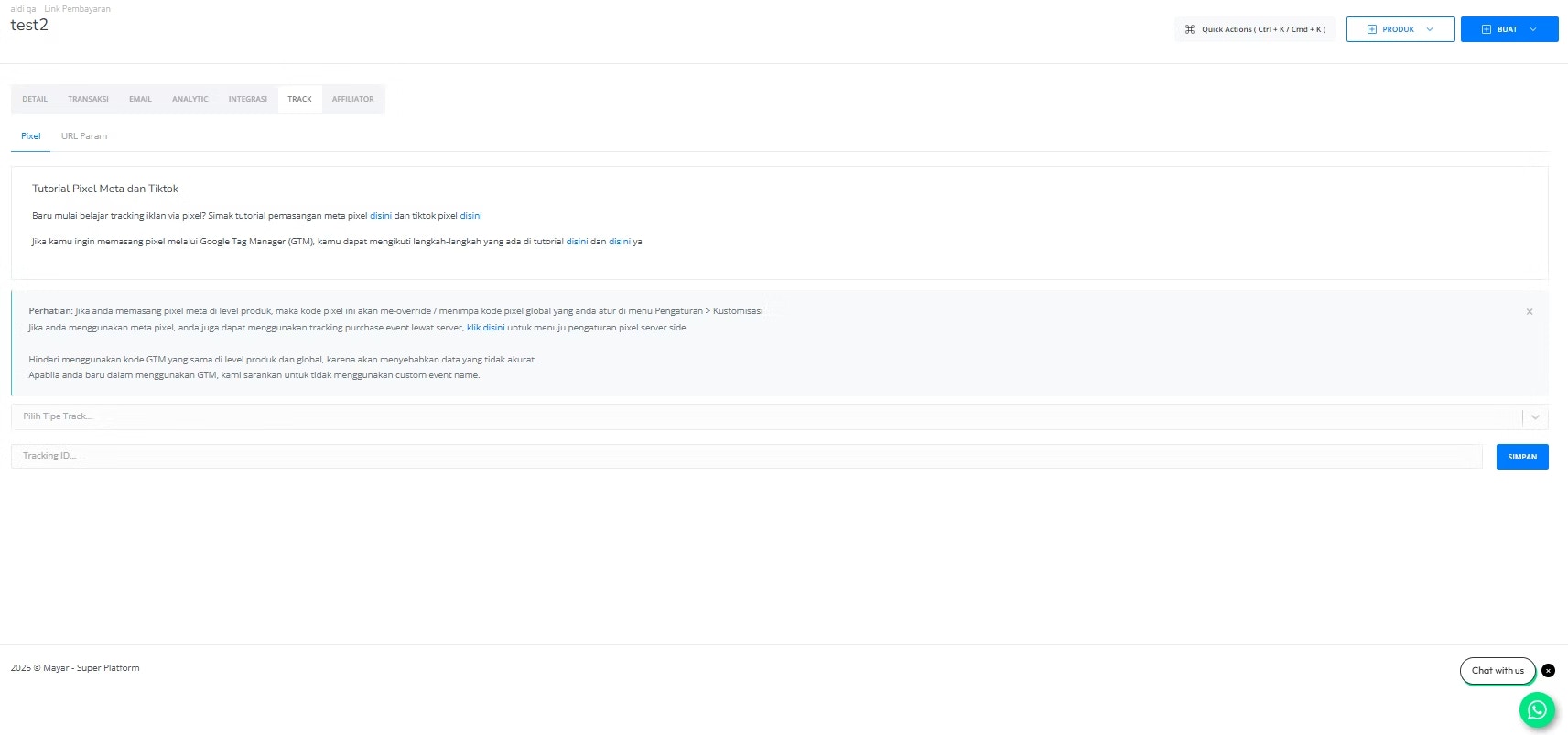
Tracking your Product Activities by Pixel can be integrated with Meta Pixel, TikTok Pixel, and Google Tag Manager. By connecting this product to these three platforms, it can consolidate data on the number of visitors to this product and also unify the data on how many products have been successfully checked out.
The Global Tracking Code on Mayar allows centralized tracking of user activity across all pages and products. By integrating Facebook Pixel, Google Analytics, and Google Tag Manager, you can monitor user interactions more effectively. This helps businesses understand customer behavior, optimize marketing strategies, and improve ad retargeting. The setup can be done without complicated technical steps, making it easier for businesses to manage tracking data and boost operational efficiency.
### Google Analytics GA4 Code
The Google Analytics GA4 Code on Mayar allows businesses to track and analyze website visitor data deeply. By integrating GA4, you can gain insights into user behavior, such as the most visited pages, session duration, and other specific interactions.
## Product Level Tracking
Track your product performance through pixel tracking and UTM Param tracking.
### Pixel & Tag Manager
Tracking your Product Activities by Pixel can be integrated with Meta Pixel, TikTok Pixel, and Google Tag Manager. By connecting this product to these three platforms, it can consolidate data on the number of visitors to this product and also unify the data on how many products have been successfully checked out.
 ### URL Param
Tracking your Product Activities by URL Parameter can be integrated with URL Parameter. By connecting this product to URL Parameter, it can consolidate data on the number of visitors to this product and also unify the data on how many products have been successfully checked out.
### URL Param
Tracking your Product Activities by URL Parameter can be integrated with URL Parameter. By connecting this product to URL Parameter, it can consolidate data on the number of visitors to this product and also unify the data on how many products have been successfully checked out.
 ### How to Easily Create a URL Param for Your Product
Open the tools at [**ttps://**](https://ga-dev-tools.google/ga4/)[**ga-dev-tools.google/ga4/**](http://ga-dev-tools.google/ga4/).
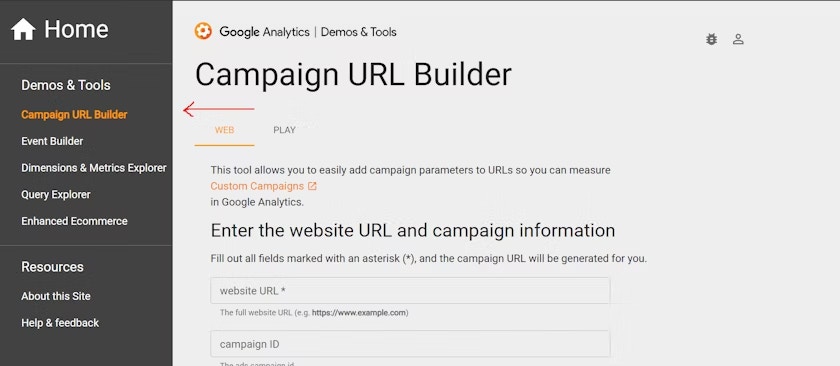
Select "Campaign URL Builder" from the sidebar menu.
### How to Easily Create a URL Param for Your Product
Open the tools at [**ttps://**](https://ga-dev-tools.google/ga4/)[**ga-dev-tools.google/ga4/**](http://ga-dev-tools.google/ga4/).
Select "Campaign URL Builder" from the sidebar menu.
 Copy the link from the product page. For example:
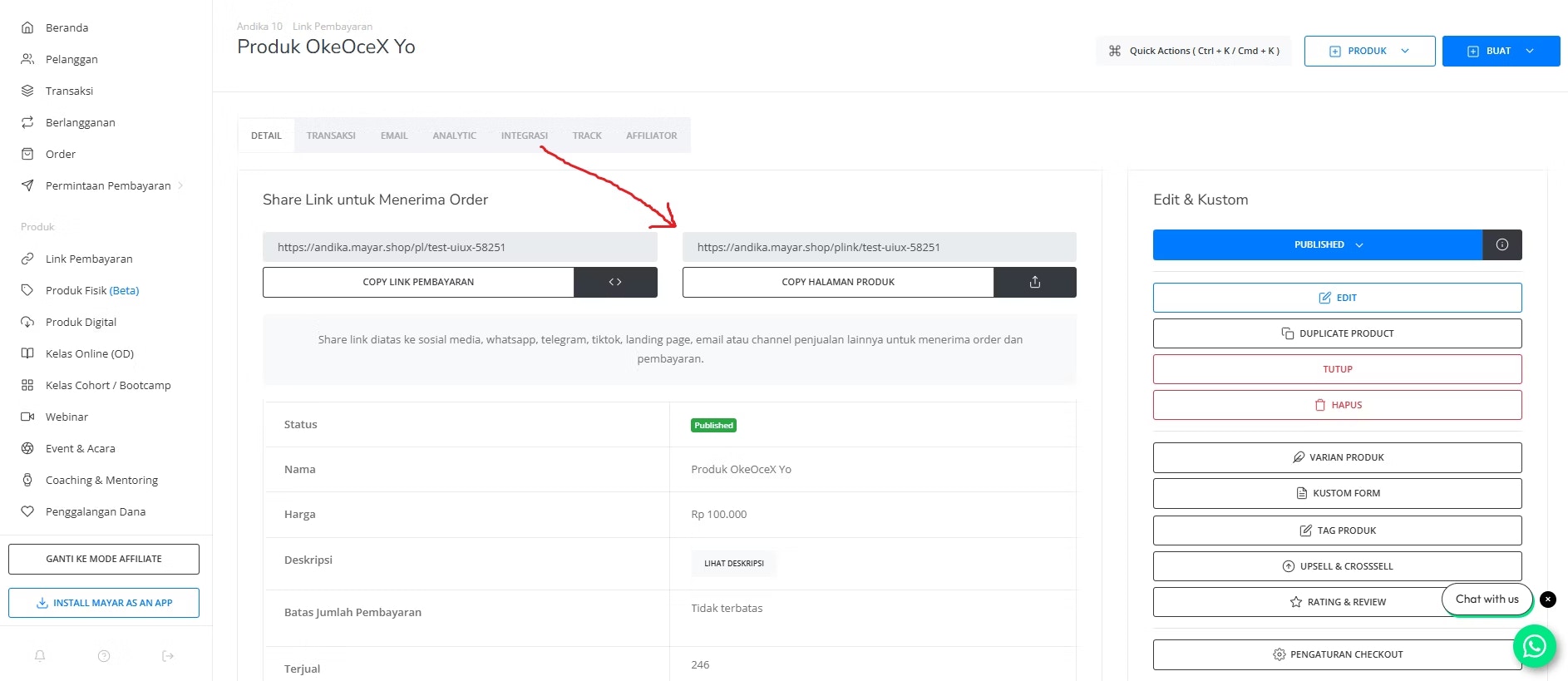 Paste the product page link into the "Website URL" field.
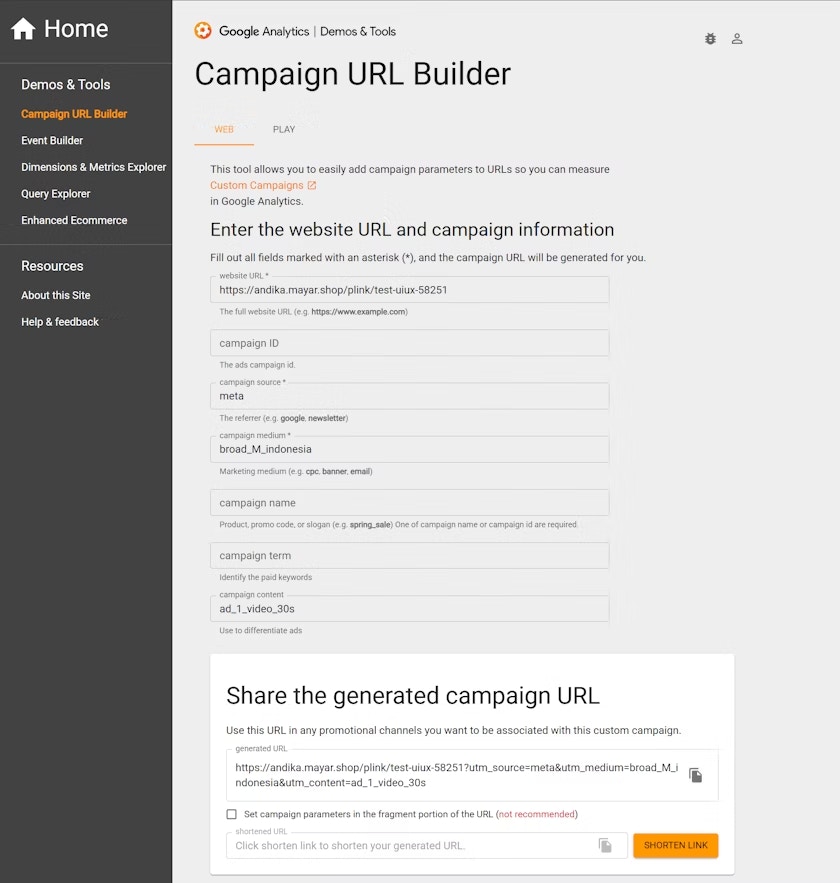
Fill in the necessary fields, and the link will be ready to use. For example:
Paste the product page link into the "Website URL" field.
Fill in the necessary fields, and the link will be ready to use. For example:
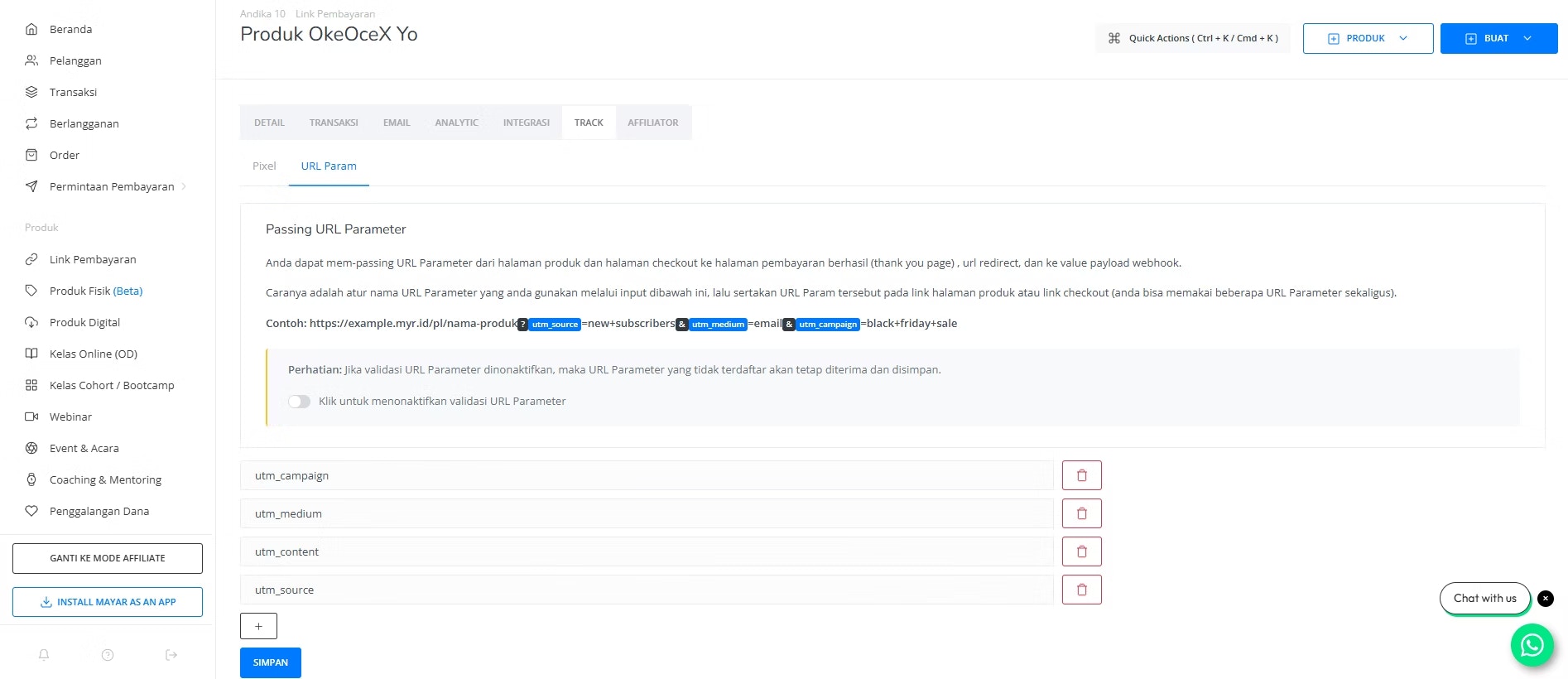
 Navigate to the product page on Mayar Apps and go to "Track Page" -> "URL Param" menu.
Click the "**+**" button to add a UTM resource. For example:
Navigate to the product page on Mayar Apps and go to "Track Page" -> "URL Param" menu.
Click the "**+**" button to add a UTM resource. For example:
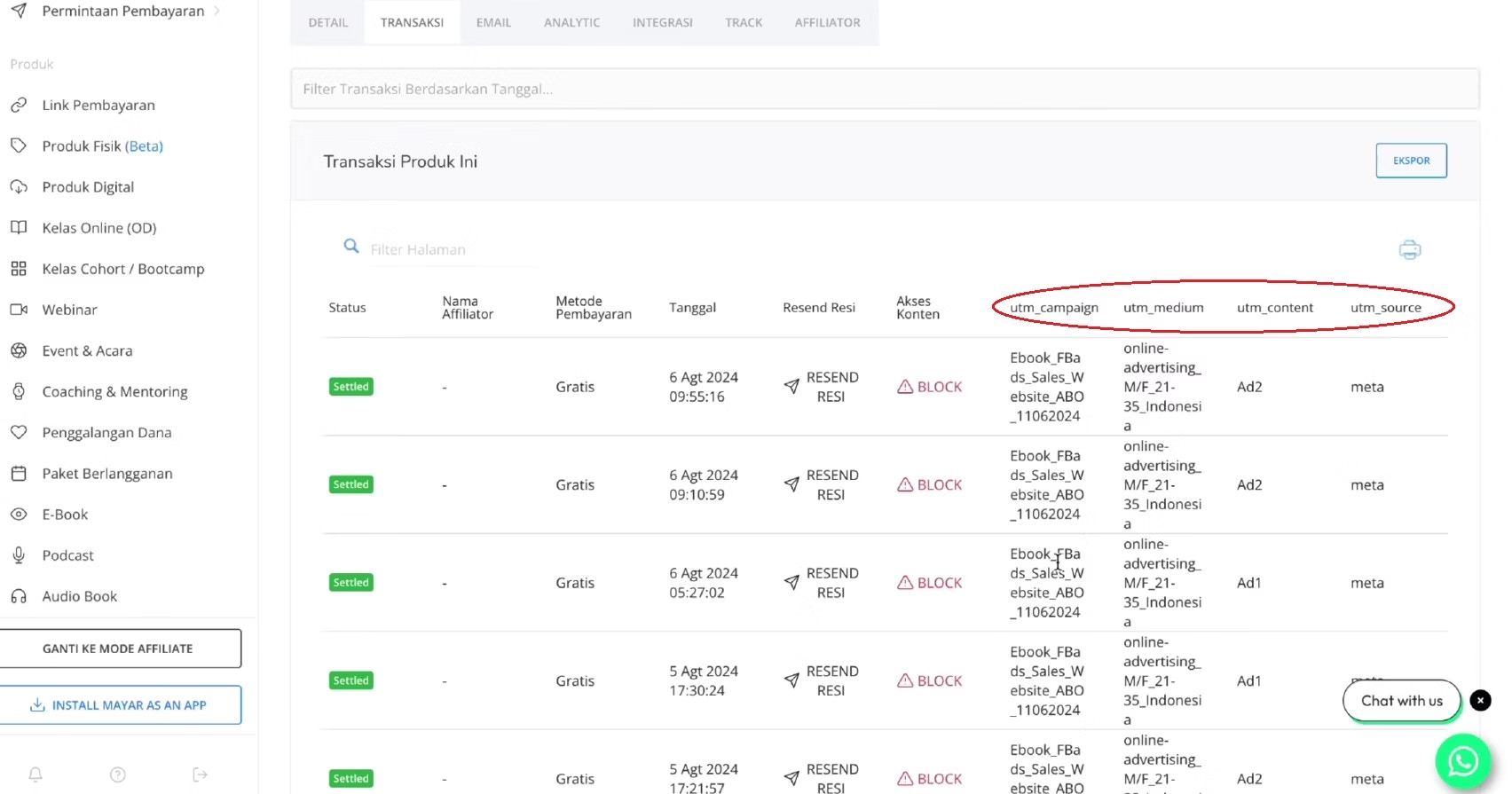
 You can then see where the transaction is coming from.