> ## Documentation Index
> Fetch the complete documentation index at: https://docs.mayar.id/llms.txt
> Use this file to discover all available pages before exploring further.
# Audio Book
> Explore the world of stories with our captivating Audio Book feature!
### Overview
The Audio Book feature on Mayar offers an immersive and convenient listening experience, allowing you to enjoy a wide range of book genres without having to read physically. With clear audio quality and engaging narration, you can enjoy your favorite stories anytime and anywhere — whether you’re traveling, exercising, or relaxing at home. This feature also includes playback speed control and chapter markers, making it easy to customize your listening experience to your preferences. Discover a new, more flexible, and enjoyable way to experience books with Mayar’s Audio Book feature.
### Creating an Audio Book Product
First, log in to your Mayar Dashboard. Make sure you are signed in to your account and on the main Dashboard page. Here, you will begin the process of creating an audiobook product.
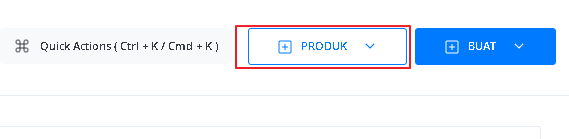
On the Dashboard page, find and click the "product" button located at the top right corner, next to the "create" button. This will take you to the product menu, where you can choose the type of product you want to create.
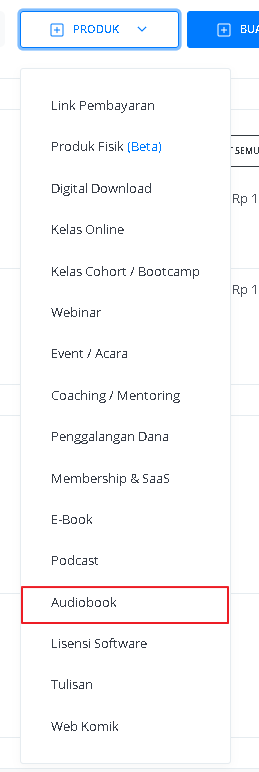
 From the product menu, select the "Audio Book" option to start creating your Audio Book product. This will open a new window titled “Create Audio Book”, where you’ll be asked to provide details about the product you’re making.
 In the "Create Audio Book" window, you need to fill in the product details as follows:
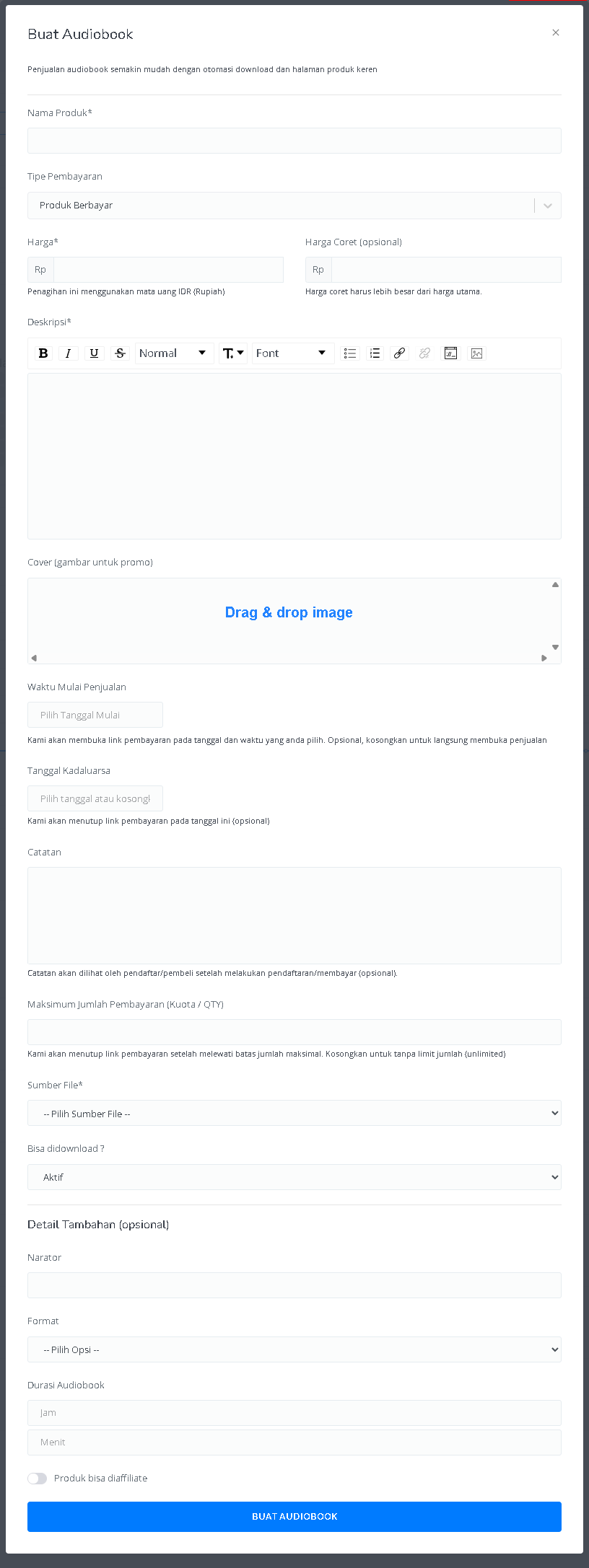 | **Input Form** | **Description** |
| :----------------------------------------- | :---------------------------------------------------------------------------- |
| **Product Name** | Field to enter the audiobook name. |
| **Payment Type** | Option to choose the payment type, such as paid, free, or pay-what-you-want. |
| **Price** | Field to enter the price in IDR (Rupiah). |
| **Discounted Price (optional)** | Field to enter a crossed-out price that is higher than the main price. |
| **Description** | Text area to add a description of the audiobook with text formatting options. |
| **Cover (promotional image)** | Area to upload the audiobook cover image. |
| **Sales Start Time** | Date picker to set when the sales will begin. |
| **Expiration Date** | Date picker to set when the sales will end (optional). |
| **Notes** | Field to add notes that can be viewed by buyers/registrants. |
| **Maximum Number of Payments (Quota/QTY)** | Field to set the maximum purchase limit. |
| **File Source** | Dropdown to select the source of the audiobook file. |
| **Downloadable?** | Option to enable or disable the download feature. |
| **Narrator** | Field to enter the audiobook narrator’s name. |
| **Format** | Dropdown to select the audiobook format. |
| **Audiobook Duration** | Field to enter the audiobook duration in hours and minutes. |
| **Affiliate Enabled** | Option to allow or disallow product affiliation. |
| **"Create Audiobook" Button** | Button to submit and create the audiobook. |
After all the information is filled in and the audiobook product is successfully created, you will be redirected to the product details page you just created. Here, you can see all the information as follows:
| **Input Form** | **Description** |
| :----------------------------------------- | :---------------------------------------------------------------------------- |
| **Product Name** | Field to enter the audiobook name. |
| **Payment Type** | Option to choose the payment type, such as paid, free, or pay-what-you-want. |
| **Price** | Field to enter the price in IDR (Rupiah). |
| **Discounted Price (optional)** | Field to enter a crossed-out price that is higher than the main price. |
| **Description** | Text area to add a description of the audiobook with text formatting options. |
| **Cover (promotional image)** | Area to upload the audiobook cover image. |
| **Sales Start Time** | Date picker to set when the sales will begin. |
| **Expiration Date** | Date picker to set when the sales will end (optional). |
| **Notes** | Field to add notes that can be viewed by buyers/registrants. |
| **Maximum Number of Payments (Quota/QTY)** | Field to set the maximum purchase limit. |
| **File Source** | Dropdown to select the source of the audiobook file. |
| **Downloadable?** | Option to enable or disable the download feature. |
| **Narrator** | Field to enter the audiobook narrator’s name. |
| **Format** | Dropdown to select the audiobook format. |
| **Audiobook Duration** | Field to enter the audiobook duration in hours and minutes. |
| **Affiliate Enabled** | Option to allow or disallow product affiliation. |
| **"Create Audiobook" Button** | Button to submit and create the audiobook. |
After all the information is filled in and the audiobook product is successfully created, you will be redirected to the product details page you just created. Here, you can see all the information as follows:
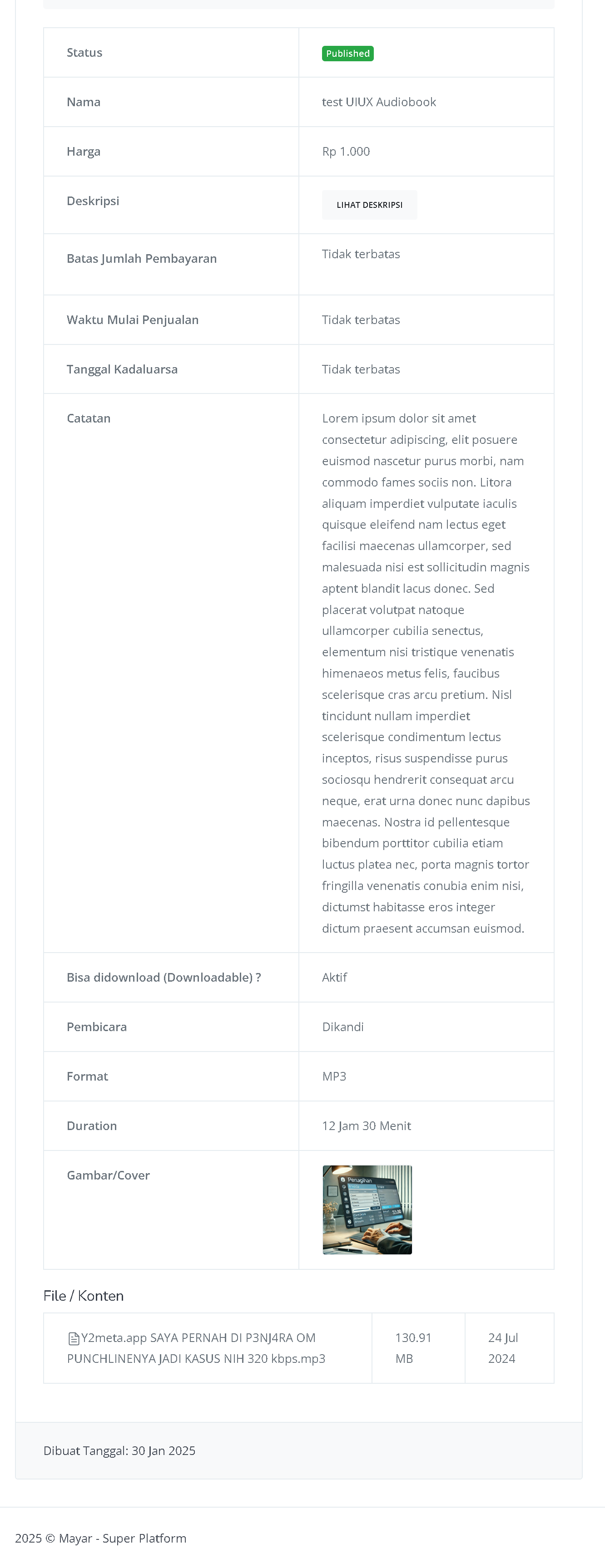 | **Information** | **Description** |
| :------------------- | :--------------------------------------------------------------------------------------------------------------------------------- |
| **Status** | Shows the audiobook status, e.g., "Published". |
| **Name** | The audiobook name, e.g., "test UIUX Audiobook". |
| **Price** | The set audiobook price, e.g., Rp 1,000. |
| **Description** | "View Description" button to see the full audiobook description. |
| **Payment Limit** | Indicates that there is no purchase limit. |
| **Sales Start Time** | Indicates that sales are not restricted by a specific start time. |
| **Expiration Dat** | Indicates that there is no expiration date for the audiobook sales. |
| **Notes** | Displays additional notes or information about the audiobook. |
| **Downloadable?** | Indicates that the audiobook can be downloaded (active status). |
| **Narrator** | The narrator’s name, e.g., "Dikandi". |
| **Format** | The audiobook file format, e.g., MP3. |
| **Duration** | The audiobook duration, e.g., 12 Hours 30 Minutes. |
| **Cover Image** | Displays the audiobook’s cover image. |
| **File/Content** | The file name and a short description of the audiobook content, including file size (130.91 MB) and creation date (July 24, 2024). |
| **Created On** | How's the audiobook creation date, e.g., January 30, 2025 |
Congratulations! You have successfully created an Audiobook product in Mayar!
### How to Access the Product Page and Checkout
You can access the product page through the link provided in the product details.
| **Information** | **Description** |
| :------------------- | :--------------------------------------------------------------------------------------------------------------------------------- |
| **Status** | Shows the audiobook status, e.g., "Published". |
| **Name** | The audiobook name, e.g., "test UIUX Audiobook". |
| **Price** | The set audiobook price, e.g., Rp 1,000. |
| **Description** | "View Description" button to see the full audiobook description. |
| **Payment Limit** | Indicates that there is no purchase limit. |
| **Sales Start Time** | Indicates that sales are not restricted by a specific start time. |
| **Expiration Dat** | Indicates that there is no expiration date for the audiobook sales. |
| **Notes** | Displays additional notes or information about the audiobook. |
| **Downloadable?** | Indicates that the audiobook can be downloaded (active status). |
| **Narrator** | The narrator’s name, e.g., "Dikandi". |
| **Format** | The audiobook file format, e.g., MP3. |
| **Duration** | The audiobook duration, e.g., 12 Hours 30 Minutes. |
| **Cover Image** | Displays the audiobook’s cover image. |
| **File/Content** | The file name and a short description of the audiobook content, including file size (130.91 MB) and creation date (July 24, 2024). |
| **Created On** | How's the audiobook creation date, e.g., January 30, 2025 |
Congratulations! You have successfully created an Audiobook product in Mayar!
### How to Access the Product Page and Checkout
You can access the product page through the link provided in the product details.
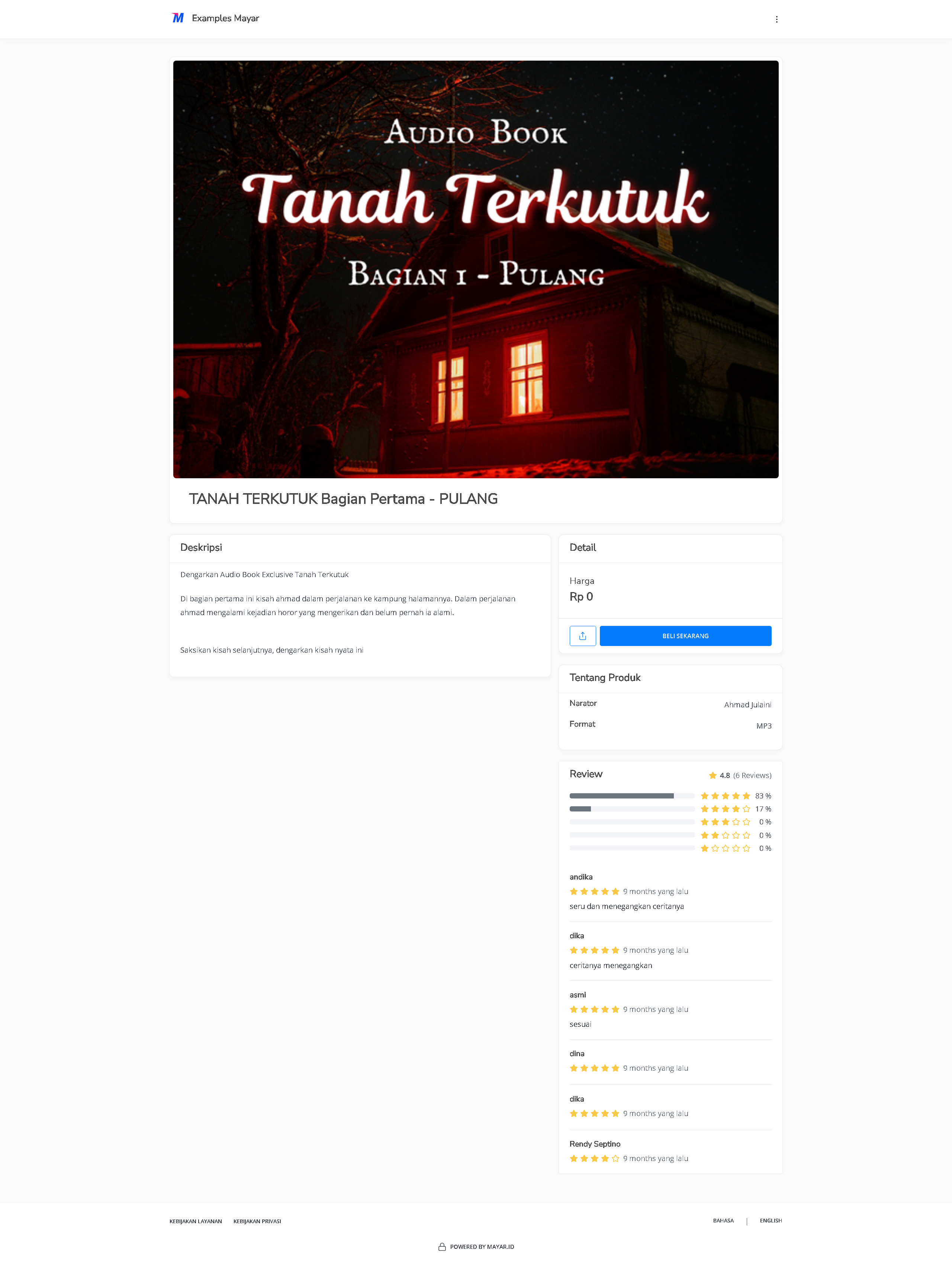
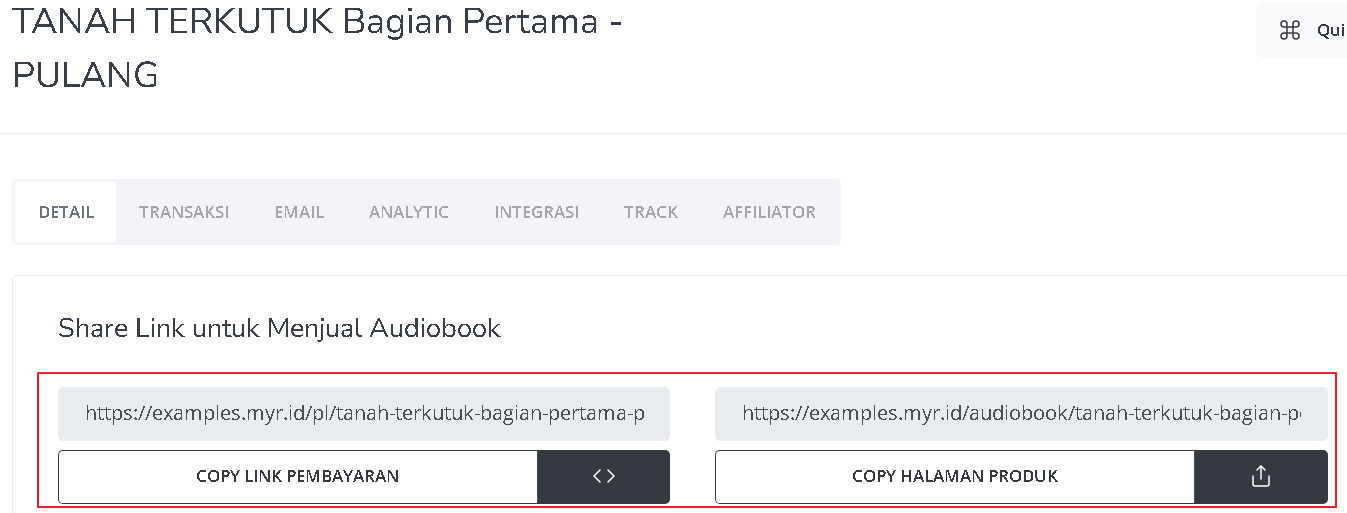 You can also access the product page by copying the product page link.
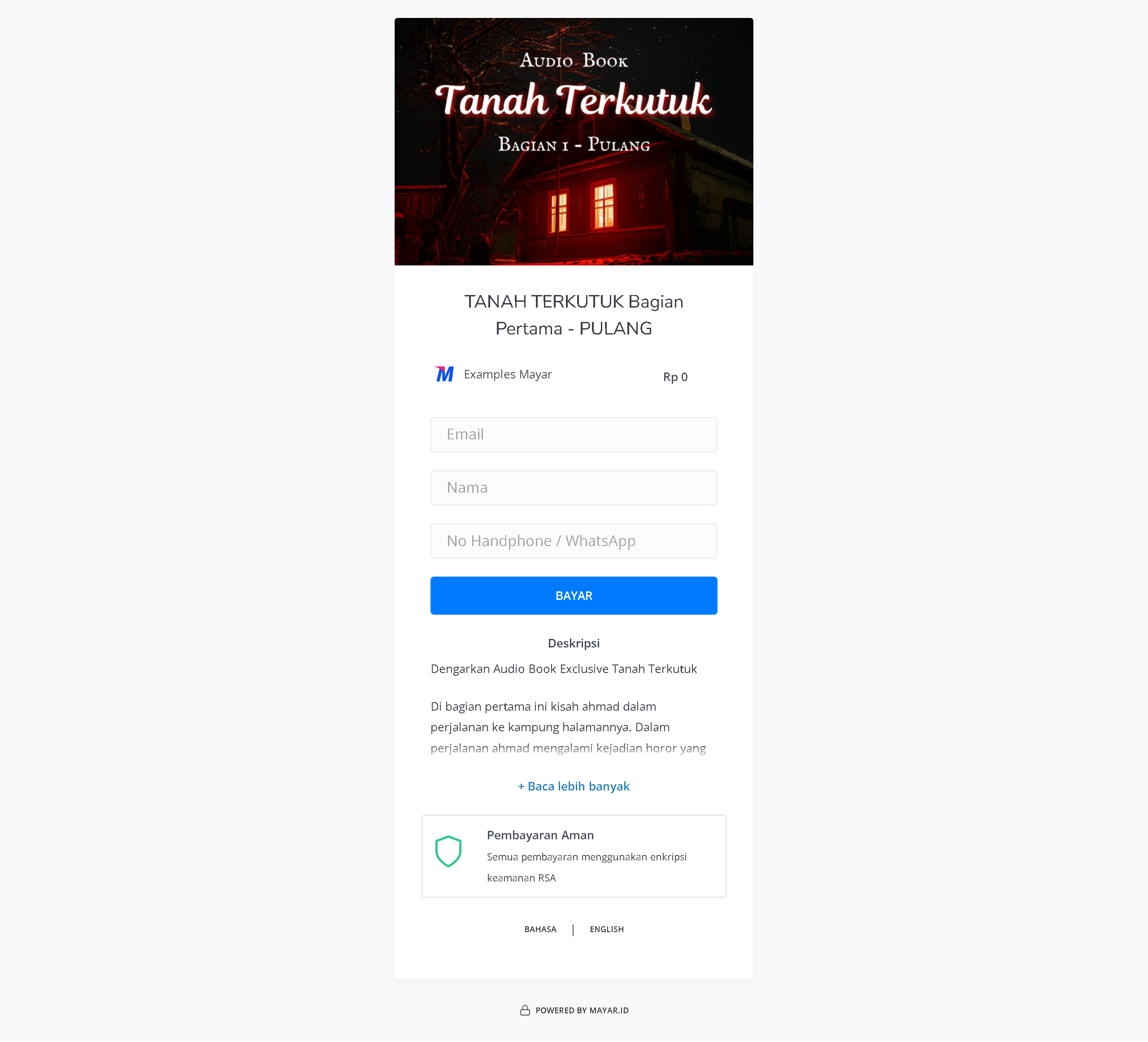
 To access the checkout page, you can copy the payment link.
 ### Accessing Your Audio Book Product
After purchasing an audiobook product, you can access it in several ways. You can play it directly from the “Thank You” page that appears once your purchase is complete. You will also receive a confirmation email containing a link to access your audiobook, and you can use this link anytime via the customer portal. Be sure to keep the confirmation email so you can easily access your audiobook whenever you want.
### Accessing Your Audio Book Product
After purchasing an audiobook product, you can access it in several ways. You can play it directly from the “Thank You” page that appears once your purchase is complete. You will also receive a confirmation email containing a link to access your audiobook, and you can use this link anytime via the customer portal. Be sure to keep the confirmation email so you can easily access your audiobook whenever you want.