> ## Documentation Index
> Fetch the complete documentation index at: https://docs.mayar.id/llms.txt
> Use this file to discover all available pages before exploring further.
# Introduction
> Section for showcasing API endpoints
## Get Started
Headless API is an e-commerce development method where the user interface (Frontend) is separated from the product management and transaction processing systems (Backend). In headless commerce, the front-end can be built using various modern web technologies such as React or Vue.js, while the back-end performs tasks such as product storage, order processing, and integration with payment systems.
By separating the front-end and back-end, headless commerce allows development teams to focus on the user experience without being hampered by the limitations of the underlying e-commerce platform. It also helps reduce the cost and time required to update and maintain an e-commerce site.
## Authentication
For starting using Mayar Headless API, you need account at [https://mayar.id](https://mayar.id). If you have an account, you can create API KEY from [https://web.mayar.id/api-keys](https://web.mayar.id/api-keys).
There are 2 options when creating an API Key, **Read Only** and **Read & Write**.
If you choose **Read Only**, then only API Endpoints with the Get Method can be used. If you choose **Read & Write**, then API Endpoints with both Get and Post Methods can be used.
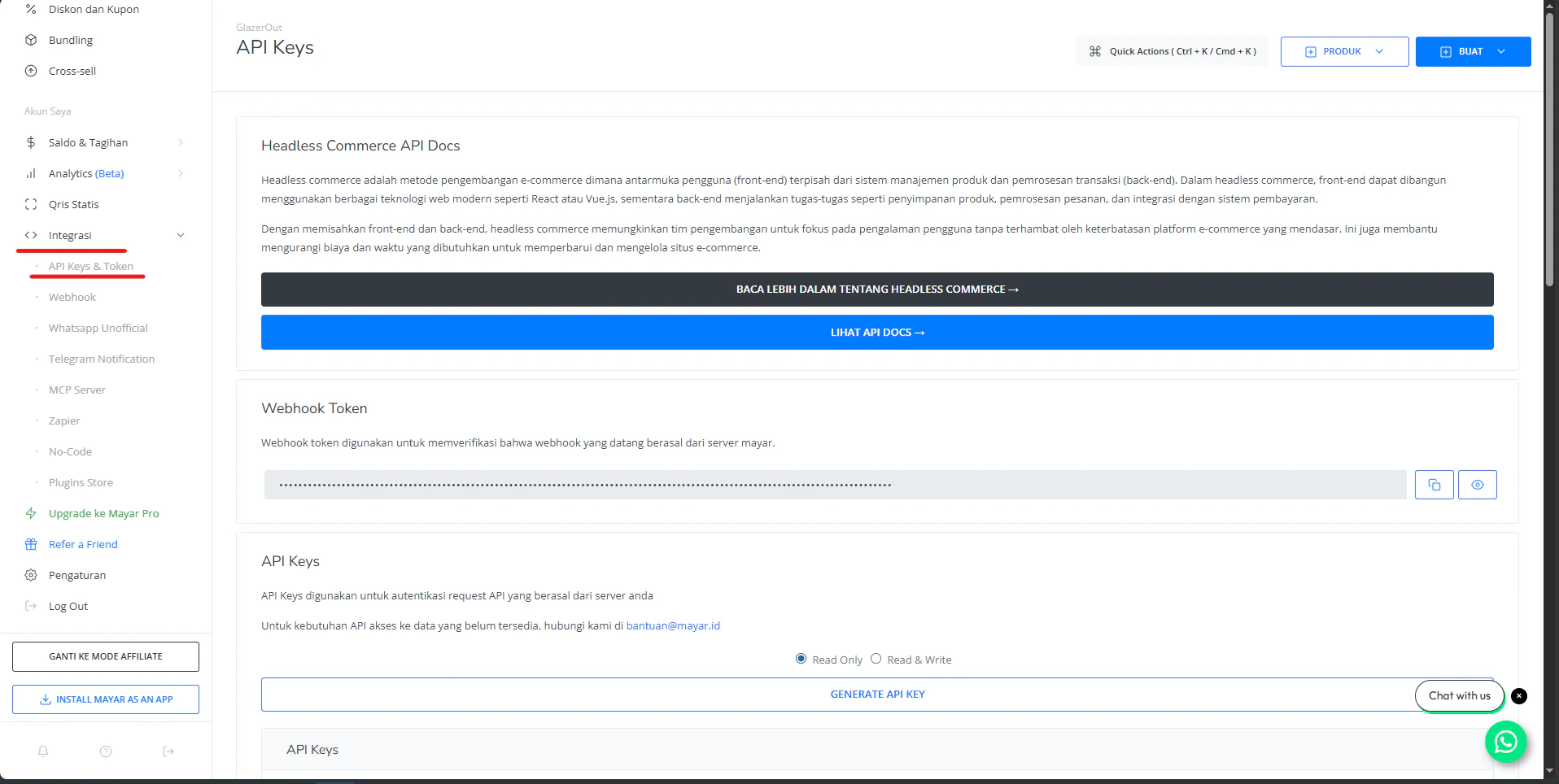 For your account security, don't share your API KEY!
Please note that any changes to your domain or subdomain require you to create a new API KEY, so the link in the response you receive will also be updated.
## Sandbox Environment
For testing purposes, you can use the webpage [https://web.mayar.club/](https://web.mayar.club/). You can log in or register first, then generate an API key from [https://web.mayar.club/api-keys](https://web.mayar.club/api-keys). (The same method as obtaining an API key on the production page).
## Base URL
The API Base URL is the main part of the address (URL) used to access an API endpoint. Mayar has two API Base URL's based on the page.
```bash Production theme={null}
https://api.mayar.id/hl/v1
```
```bash Sandbox theme={null}
https://api.mayar.club/hl/v1
```
Make sure you use a base URL based on the appropriate web page (Production or Sandbox)
For your account security, don't share your API KEY!
Please note that any changes to your domain or subdomain require you to create a new API KEY, so the link in the response you receive will also be updated.
## Sandbox Environment
For testing purposes, you can use the webpage [https://web.mayar.club/](https://web.mayar.club/). You can log in or register first, then generate an API key from [https://web.mayar.club/api-keys](https://web.mayar.club/api-keys). (The same method as obtaining an API key on the production page).
## Base URL
The API Base URL is the main part of the address (URL) used to access an API endpoint. Mayar has two API Base URL's based on the page.
```bash Production theme={null}
https://api.mayar.id/hl/v1
```
```bash Sandbox theme={null}
https://api.mayar.club/hl/v1
```
Make sure you use a base URL based on the appropriate web page (Production or Sandbox)